Overview
If you are trying to cut back on screen time at home but still want something that keeps your child entertained, engaged and happily occupied, audio players can be a brilliant middle ground. They give children stories, music and familiar characters to enjoy, but without the usual glow of a tablet or the overstimulation that often comes with apps and videos.
That is why the Yoto Player has become such a popular choice with families. It is designed to give children independent access to stories, songs, podcasts and educational audio, all through a simple card-based system that feels easy to understand from the start. Instead of menus, adverts and endless scrolling, the experience is centred around popping in a card and pressing play.
After spending time with it as a parent tester, what stands out most is how well thought through it feels. The Yoto Player is clearly aimed at children, but it is just as obviously designed with parents in mind too. From the straightforward controls to the parental settings in the app, it manages to feel modern without becoming complicated.
In this review, I’ll go through what the Yoto Player is like to use in everyday family life, what you get in the box, how the content system works, how it compares with the Yoto Mini, and whether it is worth buying if you are choosing between this and other screen-free audio players.
Meet the Yoto Player
The Yoto Player is a screen-free audio player for children, designed mainly for ages 3 to 12 and beyond, depending on the type of content your child enjoys. It plays audio using physical Yoto Cards, which are inserted into the top of the device. Once a card is placed in, the story, music or activity linked to it starts playing automatically.
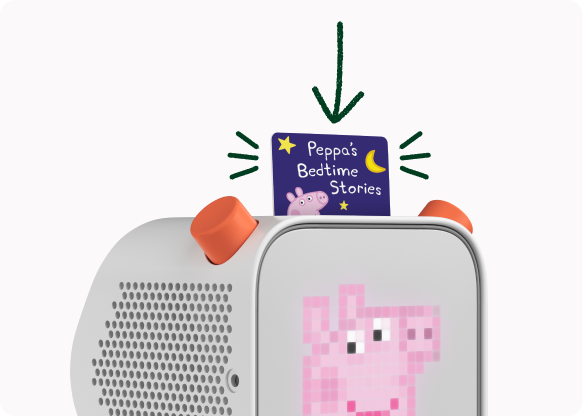
What I like about the idea is that it gives children a sense of ownership over their listening. They can choose a card themselves, put it in, adjust the volume and skip chapters, all without needing to ask for a phone or tablet.
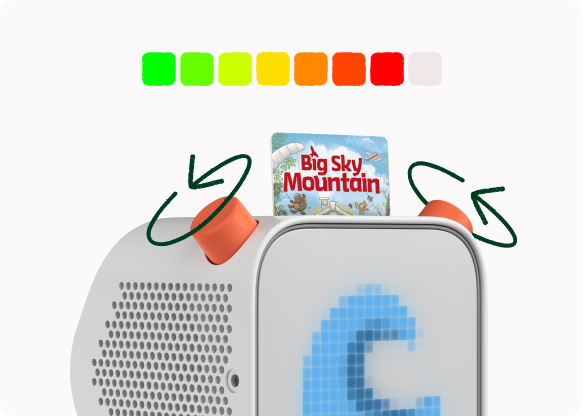
The Yoto Player is not just about bedtime stories either. It can be used for audiobooks, songs, learning content, podcasts, radio and even custom recordings. There is also a companion app for parents, which is where the setup, remote controls, schedules and content management all happen.
It feels like a product made for families who want a child-friendly bit of tech that stays firmly in its lane. It does not try to be a tablet replacement in the broadest sense. Instead, it focuses on doing one job very well: giving children a safe, simple and enjoyable way to listen.
Colours Available
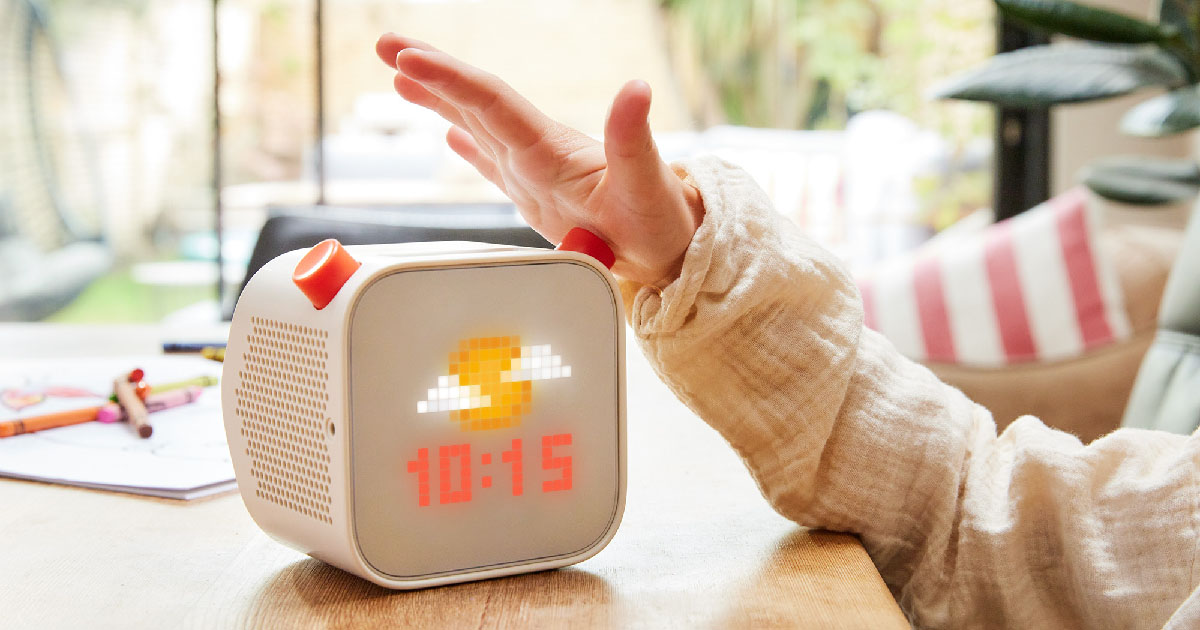
The Yoto Player itself comes in a light grey finish with bright orange dials, which gives it a friendly and distinctive look without making it feel too toy-like. It is modern enough to sit neatly on a shelf in a bedroom or playroom, but still playful enough to appeal to children.
If you want to make it a bit more colourful, there are also Adventure Jackets available. These are silicone covers that fit over the player to add extra protection and a brighter finish. They are available in shades such as:
Orange
Pink
Blue
Mint
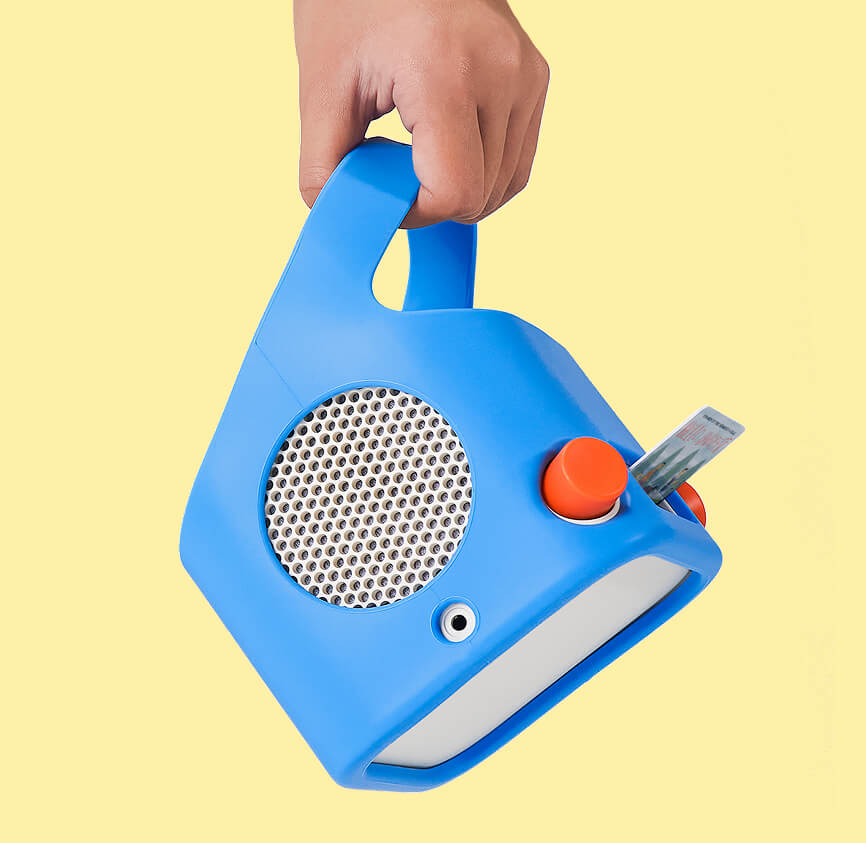
These covers are especially useful if the player is likely to be moved around a lot or handled by younger children.
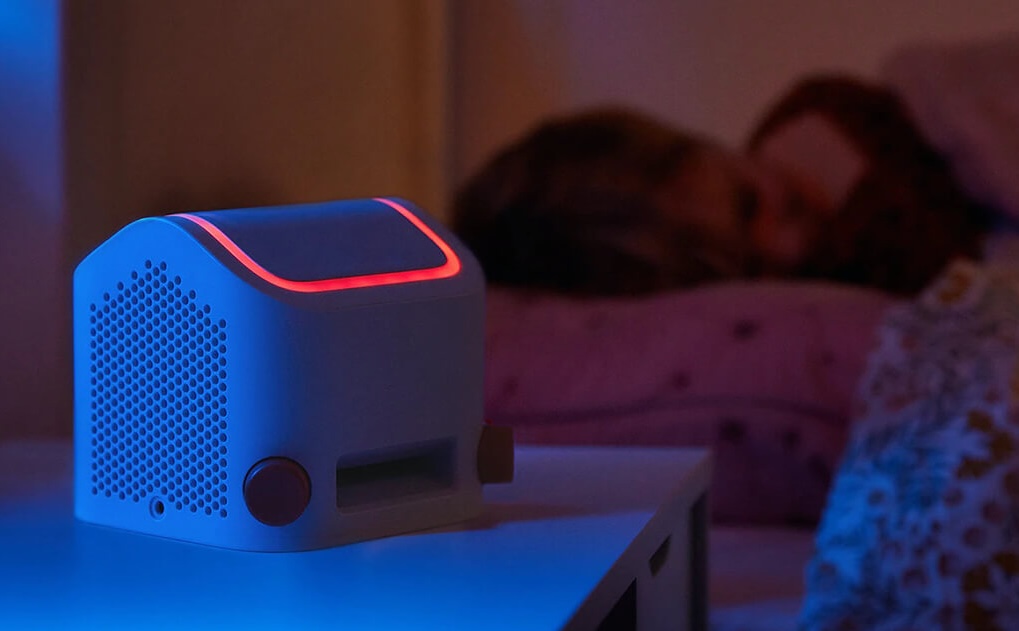
The built-in nightlight also offers different glow colours, which adds another customisable element even though the body of the player stays in the standard grey-and-orange design.
What’s in the Box
The Yoto Player keeps things fairly simple when it comes to unboxing. Inside, you get:
The Yoto Player unit
A USB-A to USB-C charging cable
A Welcome Card
A quick start guide
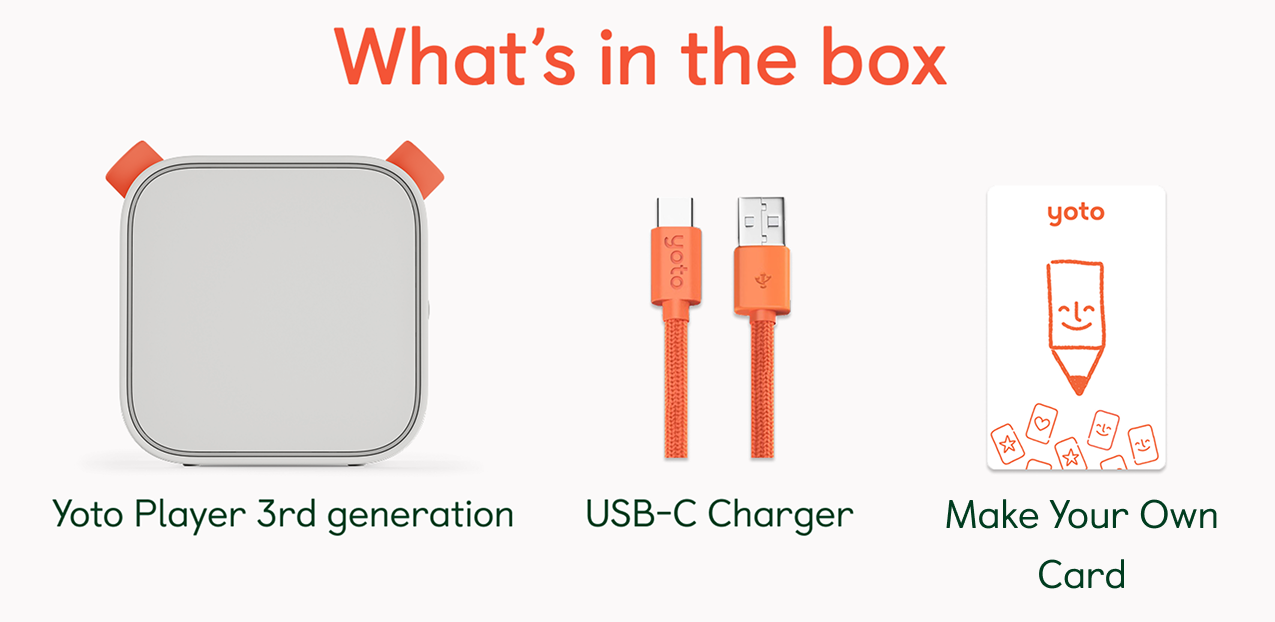
The Welcome Card is a nice touch, as it works as a Make Your Own card, giving you something to try straight away rather than needing to buy extra content before the player becomes useful.
There is no charging plug included, so you will need your own USB power adaptor, but that is fairly standard these days.
Setup is straightforward. You charge the player, download the app, connect it to Wi-Fi, and from there it is ready to start downloading and playing content.
Design and Build Quality
The Yoto Player has a design that feels a little retro in the best possible way. It has a square, upright shape with a front display, a card slot on top, and two large orange knobs that are impossible to miss. It almost has the feel of a tiny old-school speaker crossed with a children’s clock radio.
In person, it feels sturdy and solid. The casing is made from durable plastic, and although it is not soft like some rival products, it still feels like it has been designed to cope with normal family life. It is not the sort of thing you would worry about if it was picked up, carried around the house, or occasionally knocked over.
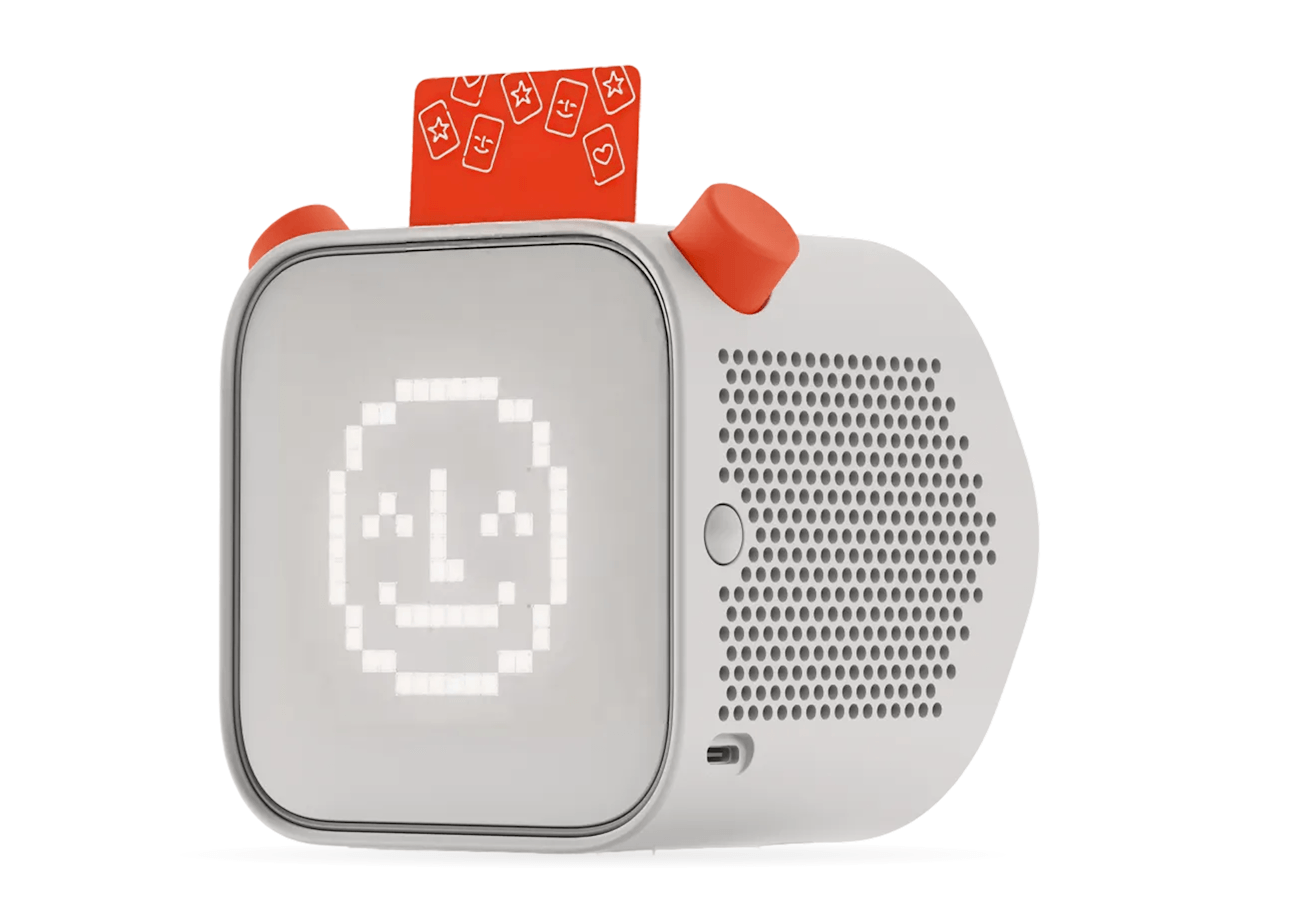
The controls are one of the strongest parts of the design. The two chunky knobs are easy for children to grip and twist, and the card slot is very forgiving. Children can insert a card without worrying too much about which way round it goes, which removes a lot of the fiddliness you often get with kids’ gadgets.
Overall, it feels well made and practical. It is clearly designed to be used by children rather than simply styled to appeal to them.
Audio Quality
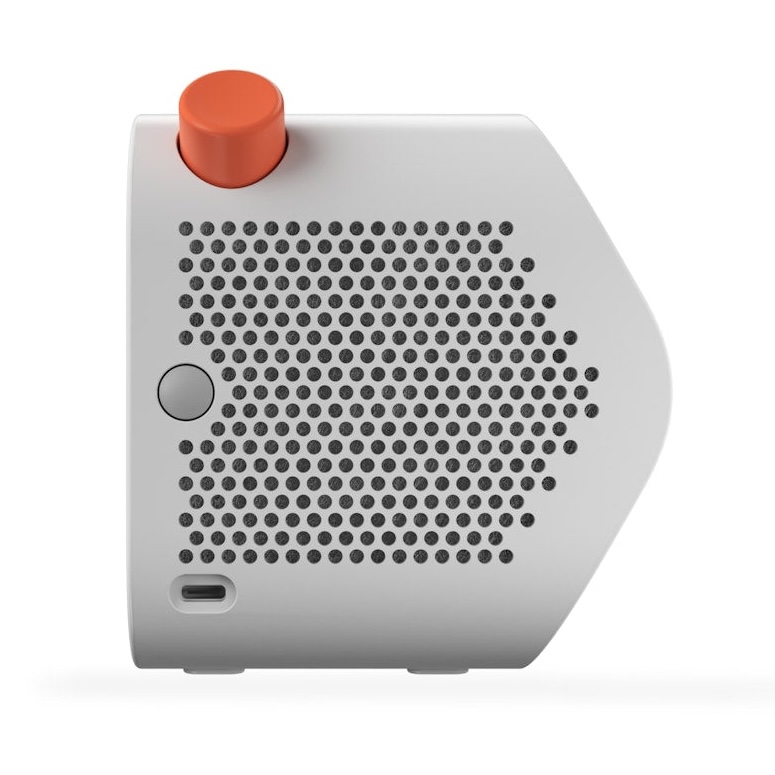
For something aimed at children, the Yoto Player sounds impressively good. It uses stereo speakers and offers noticeably fuller, clearer sound than many people probably expect from a small child-focused device.
The first thing I noticed was how well it handles spoken-word content. Stories are crisp, voices come through cleanly, and it is easy to hear details even when there is a bit of background noise in the room. That matters, because with a product like this, storytelling is really the heart of the experience.
Music sounds good too. You are obviously not buying it as a hi-fi speaker, but songs sound lively and clear, and there is enough volume for it to work comfortably in a bedroom, nursery or playroom. It can also go quiet enough for calmer bedtime listening.
Compared with smaller portable players, the Yoto Player has a bit more presence and warmth to the sound, which is exactly what you want if your child is going to use it regularly at home.
There is also a headphone jack if you want a quieter listening option, which is handy for shared bedrooms, travel or early mornings.
Controls and Everyday Usability
One of the best things about the Yoto Player is that it does not take long for children to understand it. There is no learning curve in the way there often is with app-based tech.
To use it, a child simply inserts a Yoto Card into the slot on top and the audio starts. The left knob controls the volume, while the right knob lets them move through tracks or chapters. Pressing the controls is simple and satisfying, and everything feels very tactile in use.
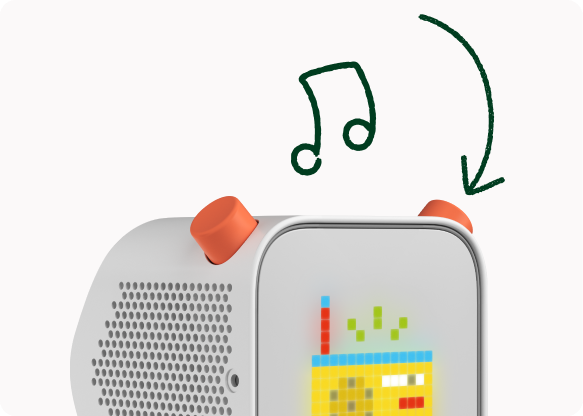
That tactile design makes a real difference. Children feel like they are operating something themselves rather than needing an adult to do the technical part for them.
The Yoto Player also includes useful everyday features beyond just playing cards. It can work as a clock, a nightlight, and part of a bedtime routine. If tipped forward, it shifts into nightlight mode, which is a clever little feature and genuinely useful at bedtime.
As a parent, what I appreciated most was that the device feels predictable. It only does what it is meant to do. There are no pop-ups, no adverts, no chance of a child disappearing into unrelated content.
Content Ecosystem and Yoto Cards
The biggest selling point of Yoto as a platform is its content system. There are more than 1,000 titles available through Yoto’s card library, covering stories, music, activities, educational content and more.
You can buy physical cards linked to popular characters, authors and brands, but there is also a good amount of free content available through the Yoto ecosystem too. Once content has been downloaded to the player, it can be used offline, which makes the whole thing much more practical for real family life.
The card system works really well for children because it turns listening into something physical. Instead of browsing a digital library, they can hold their story or music choice in their hand and decide what they want to listen to.
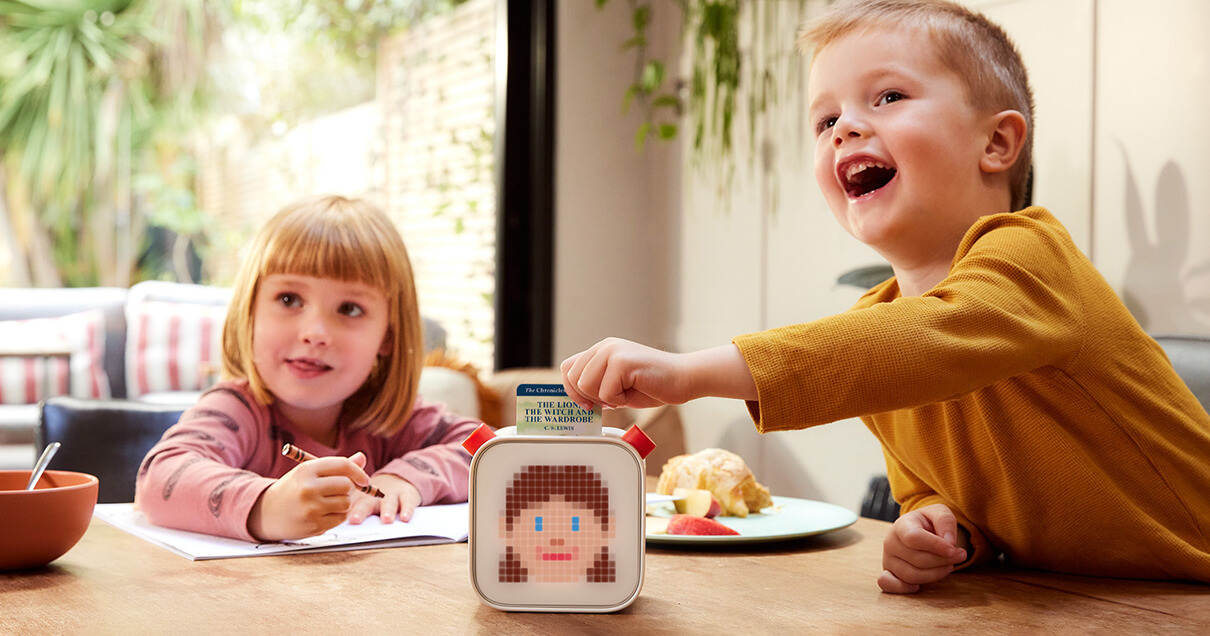
That may sound like a small thing, but it makes a big difference to how independent the experience feels.
Popular content includes a wide mix of:
Classic stories
Popular children’s brands
Music cards
Educational activities
Sleep sounds
Podcasts and radio content
The system also has enough variety to grow with a child. It is not something that only works for toddlers. A younger child might use it for nursery rhymes and short stories, while an older child could move on to chapter books, learning cards and longer audio content.
Make Your Own Cards
One of the standout features for parents is the Make Your Own option.
These cards allow you to upload your own audio through the app. That could be:
Recordings of grandparents reading stories
Favourite songs or playlists
Personal messages
Bedtime recordings
Podcast episodes or custom audio
This adds a more personal side to the Yoto Player and can make it feel much more than just a device for shop-bought content.
For a lot of families, this is one of the most valuable parts of the system. A grandparent reading a story onto a card, for example, can become a lovely part of a bedtime routine.
Yoto Icons
One thing that gives the Yoto Player a bit of charm is its little pixel display.
Now, Yoto is very much positioned as a screen-free device, and to be fair it absolutely avoids the kind of screen most parents are trying to reduce. But I do have to laugh slightly because the Yoto icons are one of the nicest bits of the whole experience. So yes, it is screen-free… apart from the tiny retro-style pixel display that both parents and children end up rather loving.
The icons show simple visual cues linked to what is playing, whether that is a story, music, chapter progress, a smiley face, or day and night symbols. It is useful because children can quickly understand that something is happening, and it helps them recognise where they are in a story or track list without needing a full screen interface.
That tiny bit of visual feedback feels like a really smart compromise. It keeps the product simple and low-stimulation, but still gives it personality and makes it easier for children to use confidently on their own.
Because the display is so simple, the icons themselves have developed a bit of a following among Yoto users. Many families enjoy recognising them and even creating their own.
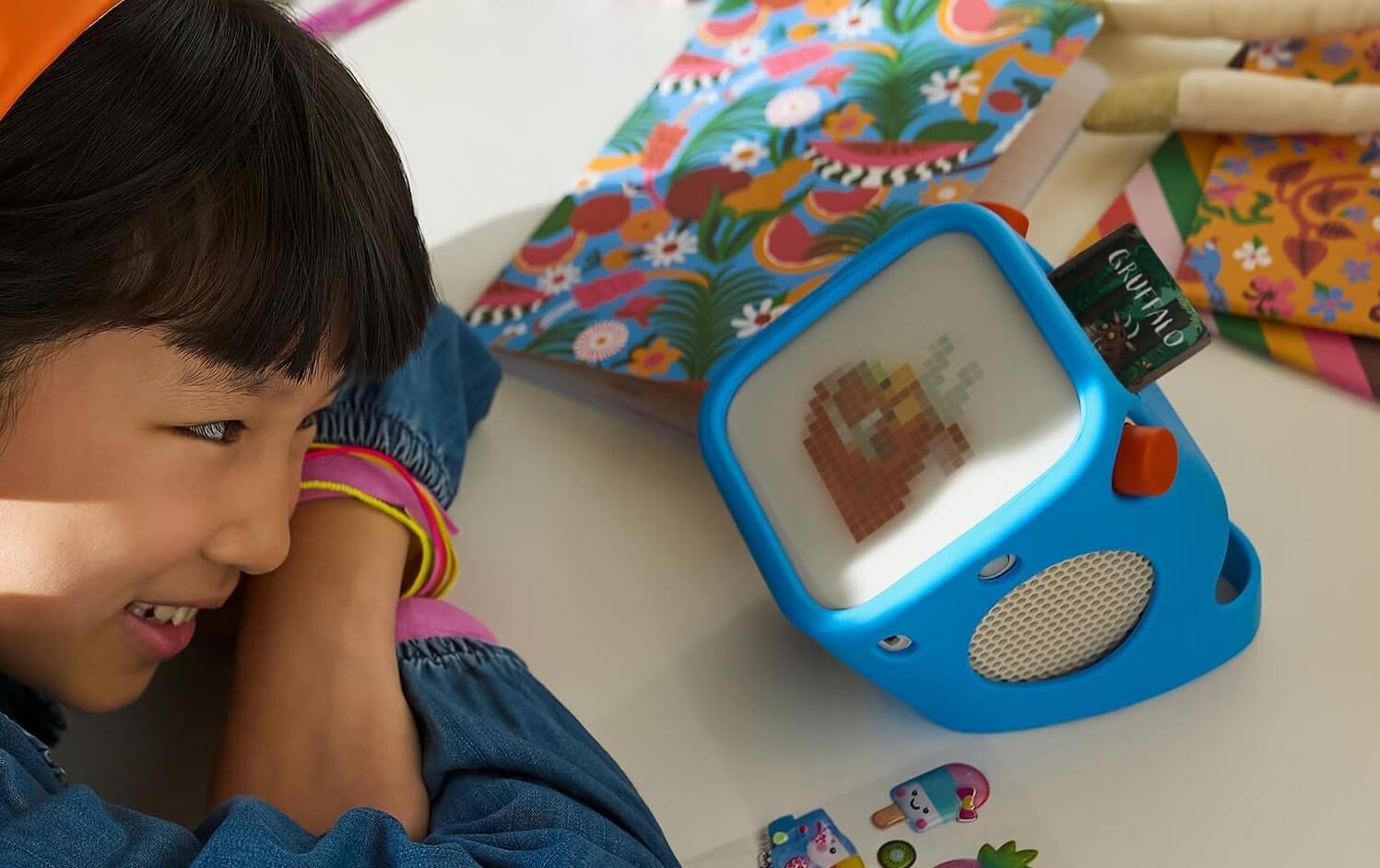
If you use Make Your Own cards, you might already know that each card can have its own custom icon. That means you can match the pixel image to the story, music, or activity you have added.
To make that easier, our we offer a growing collection of free custom Yoto icons that you can download and use with your own cards thanks to our website community who kindly provide them. You can browse the full library here.
The collection is built and shared by the community, so you will find icons for all sorts of stories, characters, music albums, and general activities — with new ones being added over time.
It is a small detail, but choosing the right icon can make a Make Your Own card feel much more like an official Yoto card, and children often love recognising their favourite stories from the tiny pixel artwork alone.
Yoto App
The Yoto app is where the parent side of the experience happens.
It is used to:
Set up the player
Connect it to Wi-Fi
Manage your library
Add Make Your Own content
Control playback remotely
Adjust settings
The app is easy to understand and does not feel overcomplicated. It gives parents control without making the system feel like hard work.
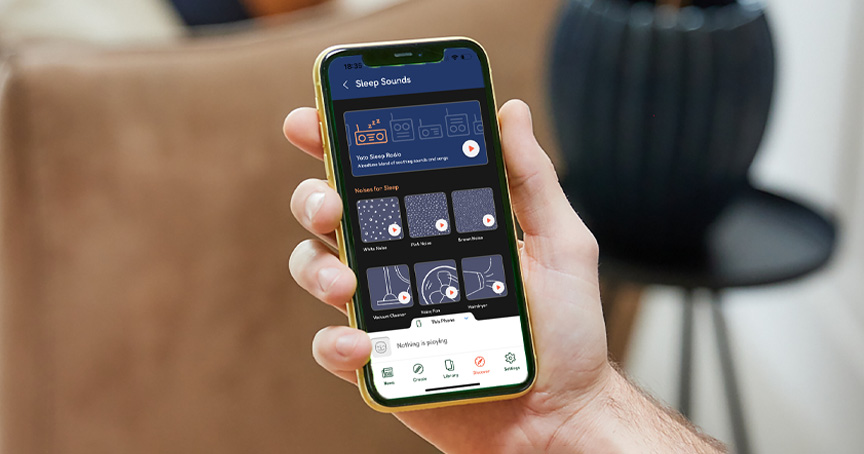
From the app, you can browse what you already own, add content to the device, and manage more than one Yoto Player if you have multiple children. You can also see what is currently playing and make changes remotely if needed.
That remote element is particularly useful at bedtime or when children are settled and you do not want to keep going into the room.
Parental Controls
Parental controls are one of the areas where Yoto feels especially strong.
Parents can set:
Volume limits
Daytime and nighttime volume caps
Sleep schedules
Wake-up settings
Alarms
Sleep timers
This allows the Yoto Player to become part of your child’s daily rhythm rather than just a toy that gets picked up now and then.
For example, you can have it glow softly at bedtime, lower the volume overnight, and switch to a brighter wake-up colour in the morning.
These are not just gimmicky extra features either. In day-to-day use, they make the Yoto Player much more useful in bedrooms and bedtime routines.
Battery Life, Charging and Connectivity
Battery life is another strong point. The Yoto Player is rated for up to 24 hours of playback, which is excellent for a product in this category. In real terms, that means it can comfortably handle regular daily use without constantly needing to be plugged in.
Charging is done via USB-C, which is practical and easy. It is the sort of thing families are likely to have chargers for already, and it makes travel simpler too.
The player connects through Wi-Fi for setup and downloading content, but one of the best things about it is that once content is on the device, it can be played offline. That makes it useful for:
Car journeys
Holidays
Bedtime
Rooms with patchy internet
General listening without needing constant connectivity
The Yoto Player also supports Bluetooth and headphone use, which gives a bit more flexibility depending on how your child prefers to listen.
Yoto Player vs Yoto Mini
For many parents, the main decision is not whether to buy Yoto at all, but whether to buy the Yoto Player or the Yoto Mini.
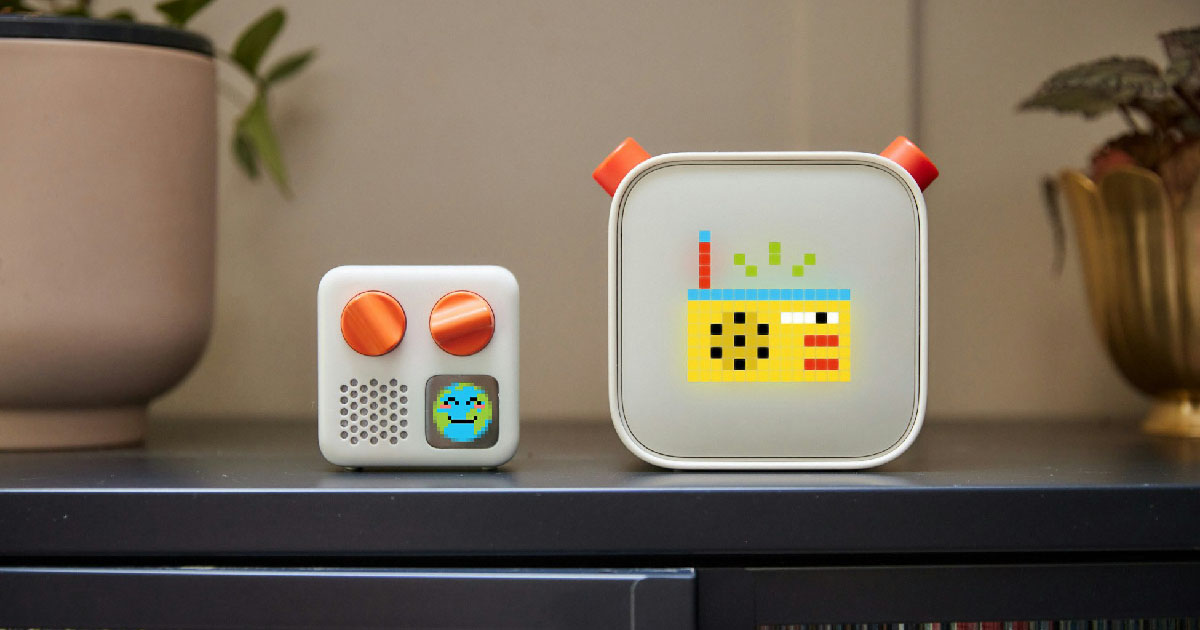
The Yoto Player is the better choice if you want:
Bigger sound
Longer battery life
A bedroom-friendly device
Nightlight and clock functions
A more substantial home audio player
The Yoto Mini, on the other hand, makes more sense if your priority is:
Portability
Travel
Car use
A lighter, more compact option
The full-size Yoto Player has larger stereo speakers and longer battery life than the Mini, which makes it feel better suited to home listening and bedtime use. The Mini is brilliant for taking out and about, but the main Player feels more complete as an everyday room-based device.
A lot of families would probably end up happiest with the Player as the main home unit, and the Mini only if they specifically want something for travel too.
Buying Advice
If you are looking at the Yoto Player as a parent, the main question is whether it fits the kind of role you want it to have in your home.
It is a particularly good choice for families who want to:
Reduce screen time
Encourage more independent listening
Build calmer bedtime routines
Introduce children to stories and audiobooks
Give children more control over their entertainment without handing over a tablet
It is also one of the stronger options if you want something that can grow with your child. The design is simple enough for younger children to understand, but the content range is broad enough that older children can continue using it too.
The upfront cost is not tiny, and as with any platform based on collectible content, extra cards can add up over time. But it does feel like a product that gets regular use, which makes that investment easier to justify for many families.
Final Recommendation
After using the Yoto Player, I can absolutely see why it has become such a favourite with parents.
What makes it work so well is that it gets the balance right. It feels modern, but not overstimulating. It gives children independence, but keeps parents in control. And most importantly, it gives families a genuinely useful alternative to screens rather than simply a novelty gadget.
The sound quality is very good, the card system is easy for children to understand, the app is helpful without taking over the whole experience, and the bedtime features make it more versatile than some rivals.
If your child enjoys stories, music and choosing things for themselves, the Yoto Player is a strong buy. It is especially easy to recommend for bedrooms, playrooms and family routines where you want something engaging but calm.
For parents comparing screen-free audio players, the Yoto Player feels like one of the most rounded options available. It is not just a clever idea on paper. In real family life, it is the sort of thing that can quickly become part of the everyday routine.