Overview
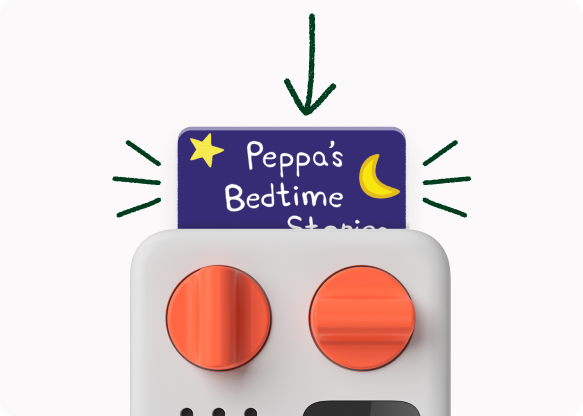
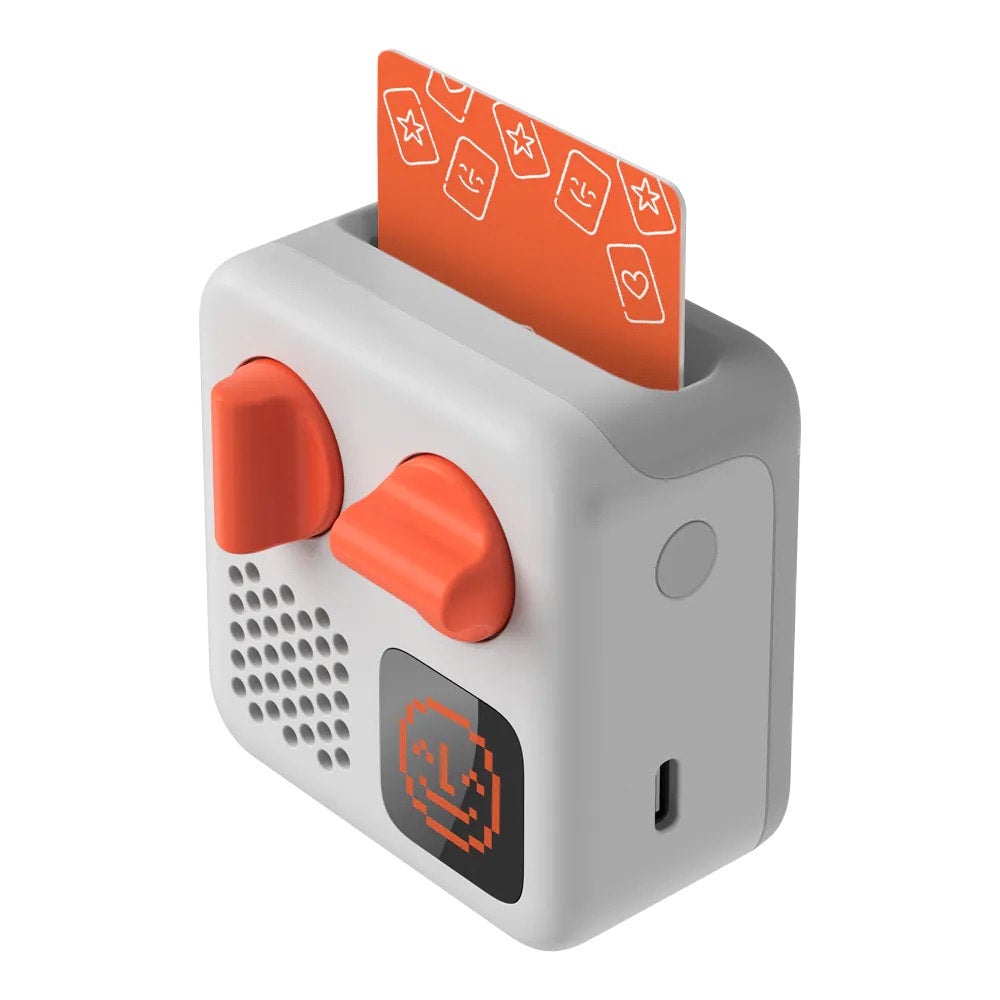
At heart, the Yoto Mini is a screen-free audio player controlled by physical “cards” that slot into the top of the device. Each card represents audio content (stories, music, activities, some podcasts/radio), and children can start/stop listening simply by inserting/removing the card. No touchscreen navigation required.
Yoto positions the Mini as ad-free and free of microphones and cameras, which matters if you’re trying to build a calmer, lower-distraction media diet at home.
Age-wise, Yoto’s guidance is that the players are certified suitable for ages 3+, while the broader audio catalogue spans from baby/early years up through older children (and, in practice, plenty of adults listen too).
There’s also a quietly brilliant “parent reality” feature: offline listening. You do need Wi‑Fi for initial setup and for the first play of new content (so it can download), but once content is downloaded, most card-based listening works without an internet connection, ideal for flights, car journeys, and generally anywhere you might be without signal.
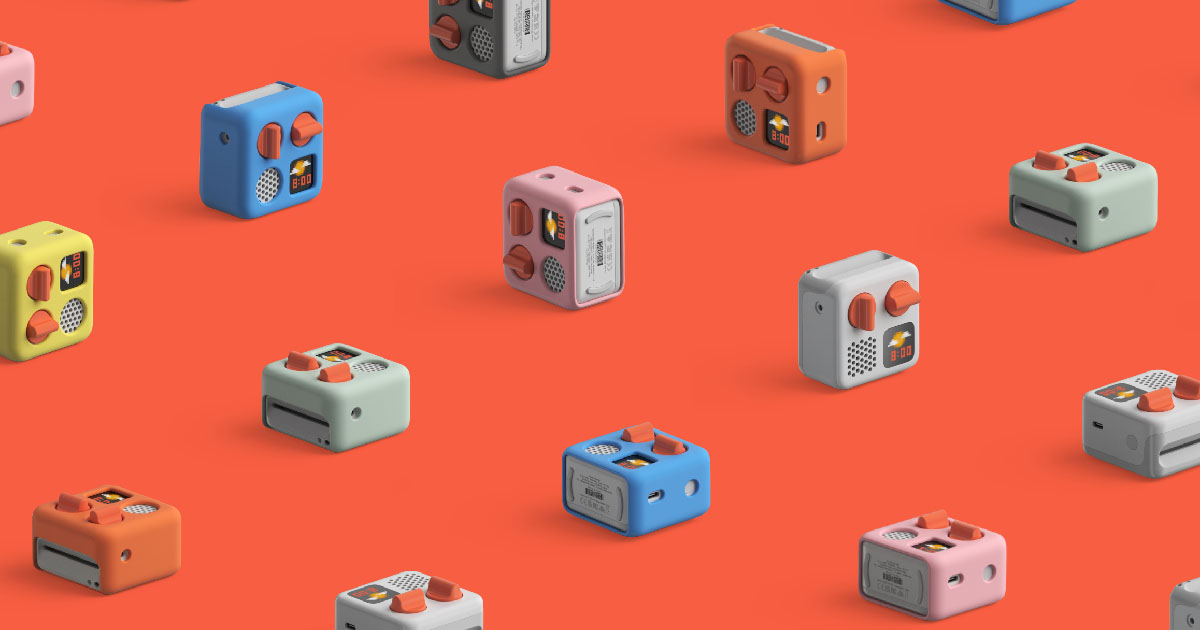
The Yoto Mini is available in 8 colours: Adventure Green, Berry Red, Coastal Blue, Dream Pink, Explorer Blue, Lunar Grey, Pixel Purple, and Sunshine Yellow.
Design and build
The Mini is compact enough to feel like a proper kids object rather than a “borrowed adult speaker.” It measures at roughly 7 × 7 × 4 cm, which matches the Mini’s reputation as genuinely pocketable compared with the cube-like full-size player, more on that later.
The Yoto Mini weighs around 150g for the device alone, which makes it meaningfully lighter than the full-size player.
Yoto design leans into child-proofing via form factor: smooth edges, simple dials, and the option to add a silicone “Adventure Jacket” protective case that I would full recommend as a worthwhile add-on for travel and everyday knocks.
The Mini is not waterproof, so it’s best thought of as “robust for normal kid life” rather than “beach-bag throw-in and forget.”
Finally, always important to keep in mind the small-parts warning: the Mini is intended for children 36 months+ (3+), aligning with Yoto’s broader age guidance for the device.
Hands-on feel and “kid ergonomics” in the real world
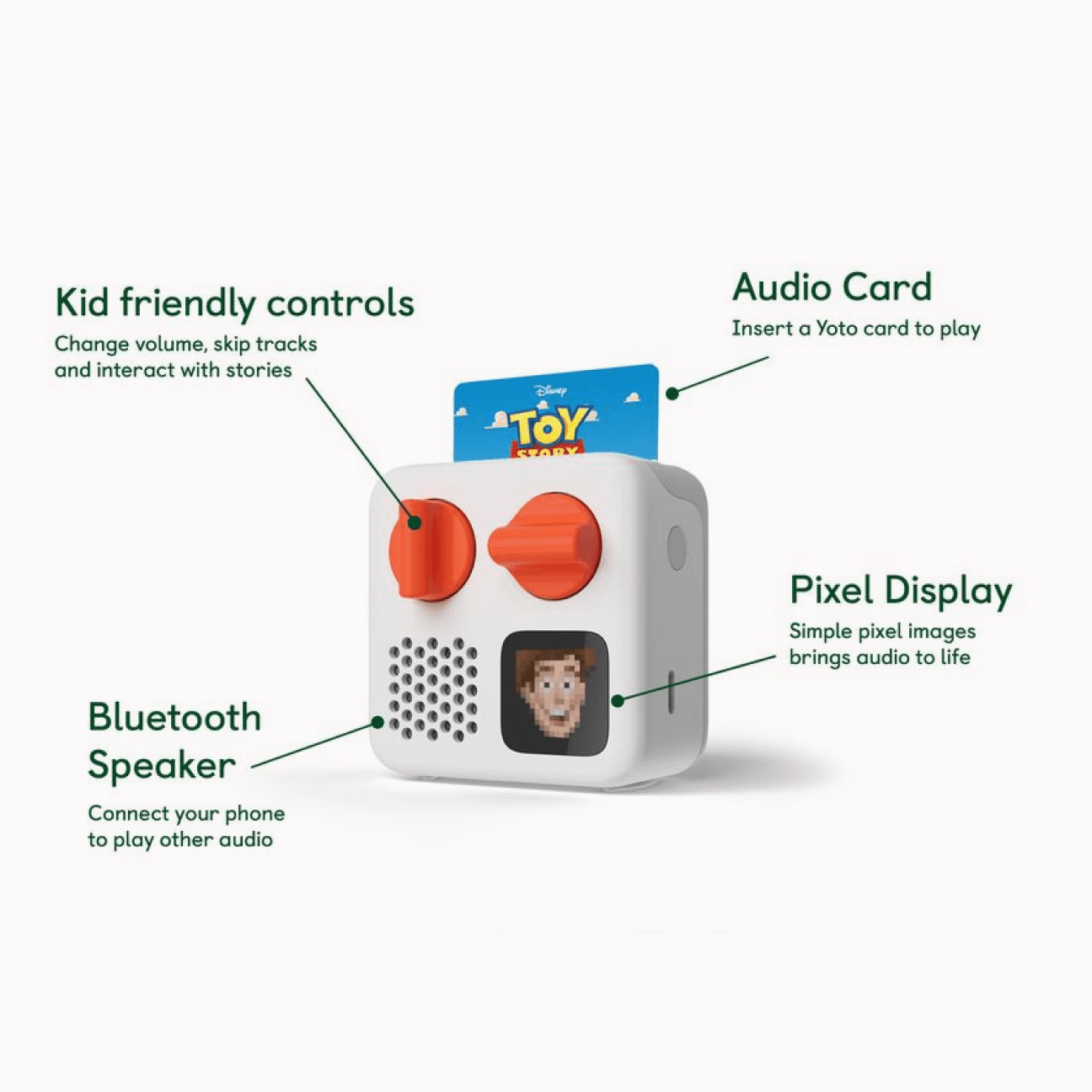
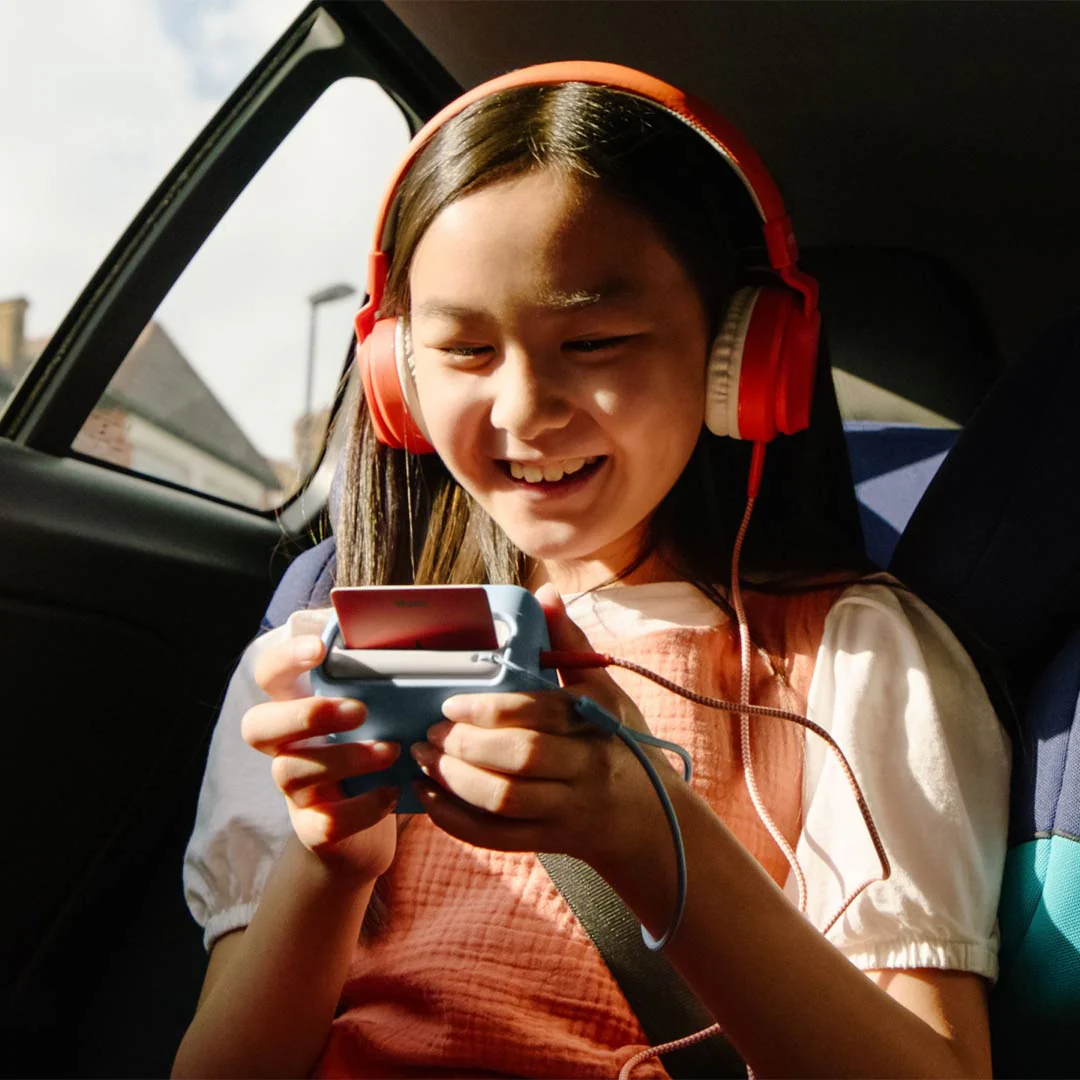
The Mini is small enough for children to comfortably hold and carry, plus the two-dial control design is so simple and intuitive that even younger children can learn the basics quickly (play/stop by card; volume by twisting).
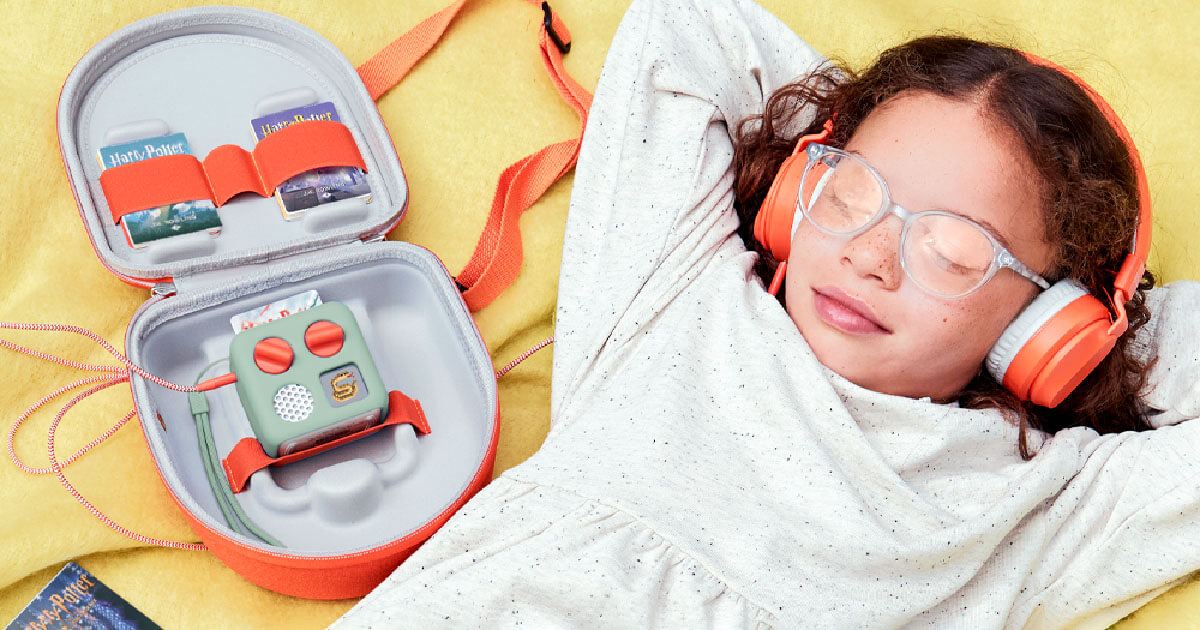
In terms of durability, the only slight concern I've had is with the cards themselves-not the player. They can easily get bent or scuffed, especially with regular use. However, it really is not a major issue, and rather than abandoning the system, I'd instead highly recommend the range of Yoto card storage accessories, which are perfect for keeping cards organised and protected, and are also great for tossing in a bag when travelling.
Audio quality
In technical terms, the Mini features a 33 mm, 3 W mono speaker. A specification that is true to what you’re buying: a personal listening device that can fill a bedroom or a kitchen corner, not a party speaker.
In my testing, the sound quality was suprisingly great giventhe size of the device, especially for spoken-word content at bedtime (where you usually don’t want thunderous bass anyway).
The practical limit shows up when you want group listening at distance or in a noisy room. Comparing the Mini with the full-size player made it clear that the bigger unit sounds louder and clearer, while the Mini can struggle if you’re trying to use it as a shared family speaker.
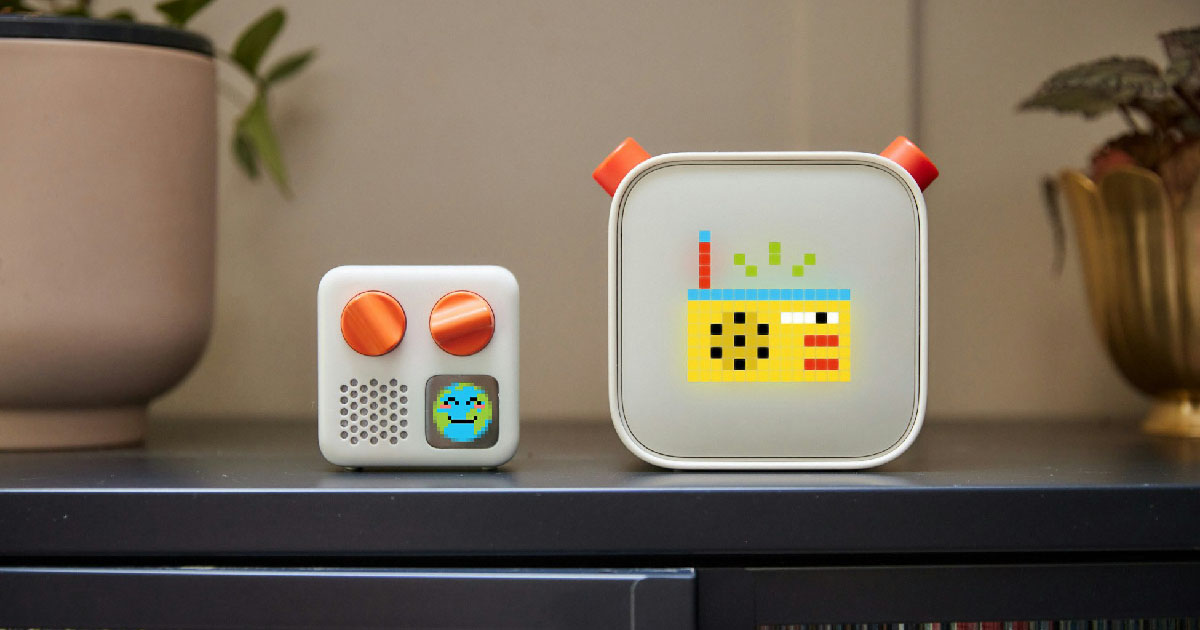
For “quiet-time” listening, the Mini supports both wired headphones (via a standard 3.5 mm port) and Bluetooth headphones—useful for travel, shared bedrooms, or simply preserving adult sanity on long car journeys.
Controls and usability
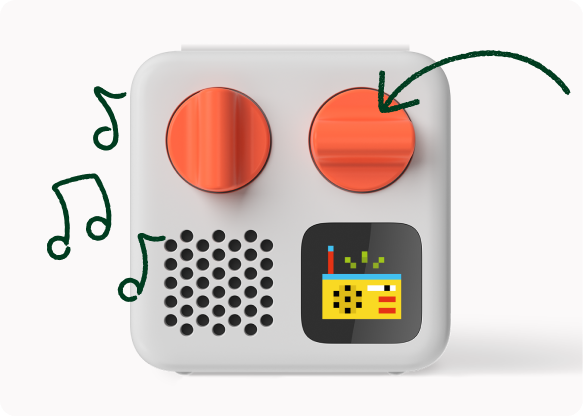
The Mini’s controls are built around two orange dials plus a power button—intentionally minimal, but with enough depth that older kids can navigate chapters and tracks independently. It took no time at all, with no instructions, for my little ones to find their way around the device and have it playing their content.
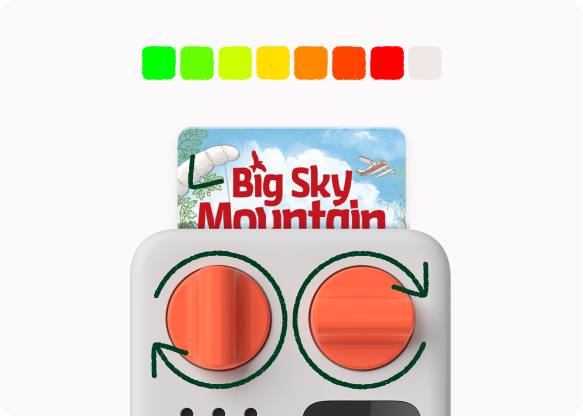
With a card inserted, the left dial adjusts volume and (when pressed) skips to the previous track/chapter; the right dial navigates tracks/chapters and (when pressed) skips forward. Both dials support press-and-hold for rewind/fast-forward, and the display shows chevrons to indicate scrubbing speed.
With no card inserted, the behaviour shifts: the right-hand button can trigger free online content such as Yoto Daily and Yoto Radio (when connected), and parents can customise button shortcuts in the app.
Hands-on impressions
My first best impressions of the Yoto Mini were all about the sense of independence it gave my children. They could choose what to listen to and control it themselves, without being overwhelmed by an open-ended app interface.
Another standout feature for me was the bedtime usefulness. The sleep audio and routines, including sleep radio where available, really impressed me. It made bedtime smoother and easier for everyone.
I also loved the simplicity with just enough flexibility. The Make Your Own cards and app controls allowed us to personalise the experience without turning the Mini into another complicated “parent project.”
Content ecosystem and cards
The Yoto ecosystem is the reason the Mini works so well as a “screen-free habit” rather than a one-week novelty: the physical cards are just the start, and the app adds breadth, free content, and parent controls.
Cards, sharing, and offline libraries
The basic loop is beautifully tactile: each card is a durable, credit-card-like token that triggers its audio when inserted. If a card is lost, the system is designed so you can still access the audio in the app and re-link it to a Make Your Own card.
I also discovered that Yoto supports lending and sharing in a controlled way: a friend can play your card on their own player (or phone), with library ownership shifting based on who last played the card. This is a thoughtful feature, especially for families with siblings, cousins, and playdates.
Storage is generous for a kids’ device. The Mini currently sold has a very generous 32 GB of built-in storage, which is equated to roughly hundreds of hours of audio, depending on encoding and content.
The Yoto app: where parents set the rules (and kids get more audio)
The app functions as the control room: you can see your library, play content on a selected device (phone or player), adjust volume, set sleep timers, change playback speed, and manage player settings. Honestly, the level of control you get away from the device is very impressive compared to other devices.
The app also contains a “Discover” area for free audio (including sleep sounds, radio, podcasts, and more), which is one of the Mini’s value multipliers—especially if you’re trying to keep ongoing spend sensible after the initial device purchase.
Make Your Own and Digital Cards: the “long tail” features parents actually use
Make Your Own is the feature that often transforms the Mini from a “nice toy” into “family infrastructure.” It allows you to turn recordings and your own audio files into playable content on both the Mini and the full-size player.
For practical limits, the Make Your Own cards can hold up to 100 tracks and 500 MB of content per card (with cards being editable over time). This is more than enough for custom playlists, family-recorded stories, or a travel “greatest hits” mix.
Digital Cards take the concept further: they’re essentially the same audio as physical cards, but without the need to ship a card. You can play them straight from the app or link them to a Make Your Own card, which is perfect for last-minute gifts, instant gratification, or reducing clutter.
Yoto Club: subscription economics, in brief
If you want predictable monthly content without buying individual cards constantly, Yoto Club offers tiered membership. The brand’s own UK-facing pricing has an entry plan starting at £3.99/month (or annual options), with higher tiers adding monthly “Club Credits” that can be redeemed for discounted cards and other member benefits.
Worth noting that credits have an expiry window (usually 12 months from issue), and some membership digital content linked to Make Your Own can be removed when a subscription ends.
Parental controls and safety
Parental controls: volume, routines, boundaries
The Mini’s parental controls are mainly delivered through the app, and they’re genuinely useful rather than token settings.
A standout for me was the volume limiter. A separate day and night volume cap can be applied (on a 0–16 scale), with an optional headphone volume limiter setting as well-good for protecting little ears and preventing the “why is it suddenly at max volume?!” jump scare.
Day/night mode controls allow parents to set sleep and wake times (supporting OK-to-wake routines), and the app also supports alarms, sleep timers, brightness controls (model-dependent), and toggles like Bluetooth pairing enablement, whats not to love!?
The account model is also thoughtfully designed for real life families: a Family Account can include multiple caregivers and multiple players under one login umbrella, letting parents manage settings collaboratively. Nice.
Privacy posture: fewer “smart speaker” compromises
Yoto’s positioning is explicit: no microphone, no camera, and no ads. For parents who want audio without the behavioural hooks of ad-funded content, this is a meaningful reassurance for sure.
Yoto also publishes a child-facing privacy policy that highlights children’s and parents’ rights around data (access, deletion requests, and contact routes), which is better than leaving families guessing for those who want to know the depths of the data use.
Battery, charging, connectivity, setup, and daily use
Battery life is straightforward in theory, but in practice as with anything electrical, it depends on how you use the device.
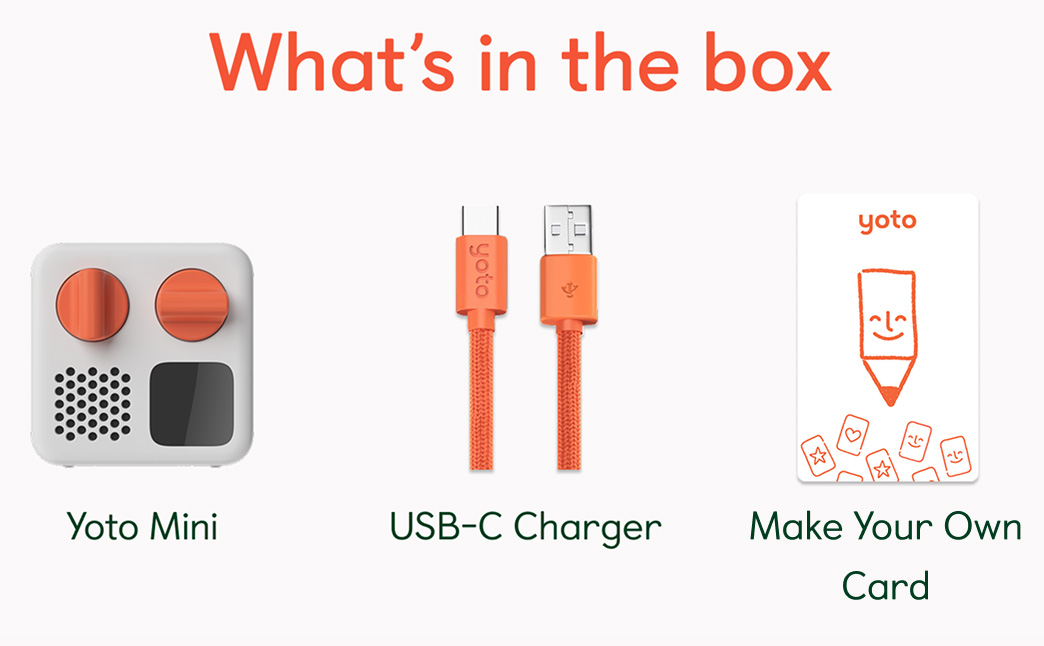
I found that if you're streaming content (radio/podcasts), using max brightness, and have battery saver turned off, the battery life can be much shorter than the headline figure. However, with downloaded card playback and battery saver on, the Mini can last up to around 13 hours.
The Mini charges via USB-C, and it takes about 3.5 hours to fully charge from empty (longer if audio is playing while charging). I try and do it in the day when the little ones are at school / nursery.
Yoto themselves recommend a minimum of 5V/1A/5W for the charger to properly power the Mini, so it’s worth keeping that in mind if you're trying to use a low-powered port.
Connectivity and offline use: what works without Wi‑Fi
If you remember just one rule, let it be this: the first time you play a new card, you'll need to be online so the content can stream and download. Once it's downloaded, most card content can be played offline. However, streaming-only content (like radio and podcasts) generally won’t work offline, as it requires a connection.
Bluetooth is optional but definitely valuable. I found that the Mini can pair with Bluetooth headphones (as well as wired ones), and it can also operate in Bluetooth speaker mode-though you’ll need to enable pairing in the settings first.
Comparison with the full-size Yoto Player and buying advice
Technical comparison table
Category | Yoto Mini | Full-size Yoto Player (3rd gen) |
|---|---|---|
Dimensions | ~7 × 7 × 4 cm | ~11 × 11 × 10.5 cm |
Weight | 0.15kg | 0.6 kg |
Speaker | 33 mm, 3 W mono | 40 mm, 5 W stereo (acoustically engineered) |
Battery life headline | Up to ~14 hours (best-case use) | Up to ~24 hours (best-case use) |
Battery life reality check | Streaming use can reduce runtime substantially | Same: streaming and brightness can reduce runtime |
Charging | USB‑C | USB‑C; optional wireless dock |
Controls | Two dials + power; card in/out to play/stop | Same core controls; additional behaviours (e.g., nightlight mode) |
Display | Small pixel display (clock/icons) | Larger pixel display (clock/icons) |
Extras | OK-to-wake clock; no built-in night light | OK-to-wake plus programmable night light; room thermometer |
Price (example region) | £59.99 on Yoto UK site | £89.99 on Yoto UK site |
Content compatibility | Same card ecosystem; cards can be played on either device | Same as Mini |
Portability | Best-in-range for travel and “one per child” setups | Better as a home hub; travel-friendly but bulkier |
Target age | Certified 3+ (with content spanning wider ages) | Certified 3+ (with content spanning wider ages) |
Notable differences vs the full-size player and what they mean day-to-day
Difference | What the Mini gives you | What the full-size gives you | Implication for parents |
|---|---|---|---|
Size and weight | Smaller, lighter, easier for kids to carry and travel with | Bigger, heavier, more stable on bedside tables | Mini is better for independence and “grab-and-go”; full-size is better as a shared home device. |
Audio | Good spoken-word clarity for close listening | Louder, clearer stereo for room listening | If you want family listening from across the room, full-size wins; for solo listening, Mini is plenty. |
Battery | Up to ~14 hours best case | Up to ~24 hours best case | Mini comfortably handles daily sessions and travel; full-size is easier if you forget to charge things. |
Bedtime extras | OK-to-wake clock (no built-in night light) | Programmable night light plus OK-to-wake | If a night light is central to your bedtime routine, full-size has a real advantage. |
Charging options | USB-C only | USB-C plus optional wireless dock | Wireless charging is “nice not necessary,” but can simplify a busy household charging station. |
Bonus features | Pure listening focus | Adds room thermometer + nightlight options | Full-size is more of a bedroom hub; Mini is more of a personal player. |
Pros and cons table (Mini-focused)
Pros | Cons |
|---|---|
Strong "screen-free independence" design | Ongoing content costs |
Very portable | Mono speaker and smaller output |
Excellent ecosystem depth | Needs Wi-Fi for setup and first-play downloads |
Helpful parental controls | Not waterproof |
Headphone flexibility (wired and Bluetooth) |
Buying advice and final recommendation
If, like me, your goal is to encourage more screen-free listening (stories, music, calming audio, podcasts) while promoting independence-and you want something your child can genuinely operate without help-the Yoto Mini comes with our highest recommendation. The device is easy for young children to learn, fits seamlessly into bedtime and travel routines, and provides the “peace of mind” benefit of kid-controlled audio without an open internet interface.
If you highly value a built-in night light, want louder/stereo sound for shared listening, or prefer a “home hub” device that doubles as a bedtime environment tool (night light + thermometer), the full-size Yoto Player might be a better choice.
However, for most parents specifically seeking more screen-free audio-especially with travel in mind-I recommend the Yoto Mini as the best starting point. It offers the core Yoto magic in the most kid-friendly, portable package, and it’s the one you’re most likely to actually carry, use daily, and build habits around.